Showing posts with label Tips and tricks. Show all posts

Monday, 23 January 2012

Block ads on Youtube

In this post I'm gonna show you how to block ads on Youtube and other such video sharing sites.

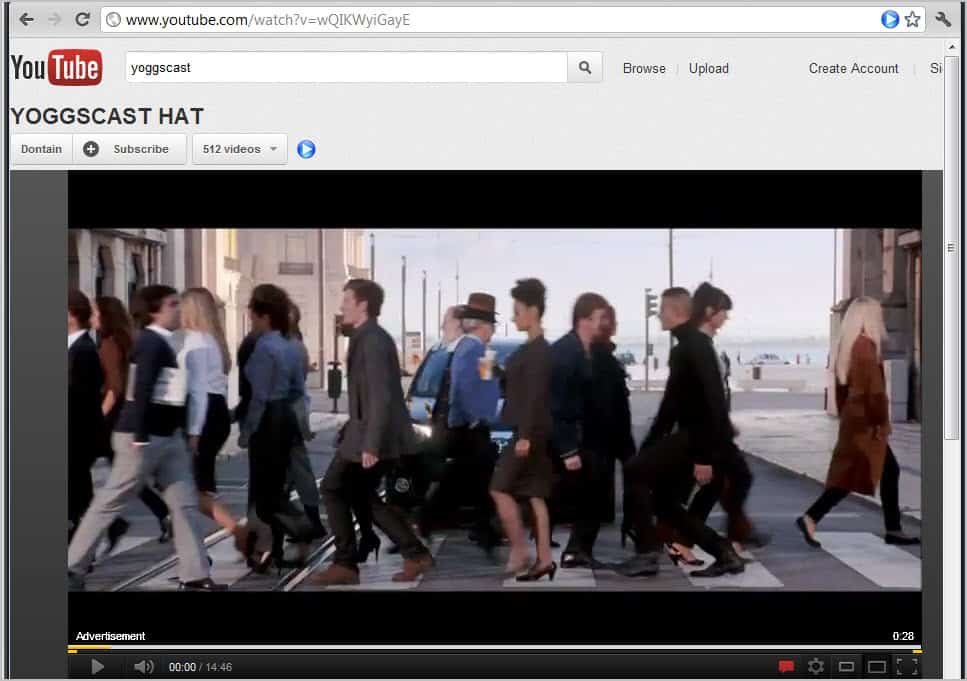
There is nothing so hard in blocking ads on Youtube ! Just a click on this on this LINK and a download and then install would do the job for chrome users . Actually nothing is there to do ! Install the extension and then you would not see ads not only on Youtube but also other video sharing sites like Dailymotion , Vimeo , Metacafe Etc:-

NOTE :- This extension blocks only ads that appear before the video loads !
FIREFOX USERS CAN GET IT FROM HERE

See what are pre-loading  ads!

Saturday, 14 January 2012

Create your own avatar online

In this post I'm gonna show you guys how to create your own avatar online for using it in your Facebook account !

Sunday, 25 December 2011

Auto feed Blog posts to facebook


Nearly every blog in this world get 36% of it's traffic from social networking sites like Facebook ,Google +, twitter and so on

We need some publicity for our blog to get constant traffic flowing into our blog.Sometimes sharing our blog posts to Facebook will seem to be too boring and sometimes Facebook may insist us to enter the capcha words for security purposes that makes most of us get bored of sharing

Saturday, 24 December 2011

How to hide ads in Facebook for Chrome

 Are the ads on FB too irritating just remove them and get rid of them completely and enjoy an ad. free FB

Sunday, 13 November 2011

Few tips for a better wifi at home

Many of us may have a wireless network for our homes .Wifi is now used for almost all the gadgets that have a networking facility For Eg:- Smart Tv's ,Game consoles,Laptops,Mobile phones,Picture frames,DVD players Etc:-

Friday, 11 November 2011

Let your galaxy spin around you

At last i've got a good smartphone for a fairly good price stuffed with a hellotta features.
Actually i'm feel'n happy to have an android powered smartphone as my first ever mobile phone in my whole life.

I'm getting used to it.I came across this awesome app. in the android market that makes you feel that your phone spins around you and I thought I definitely have to make my viewers aware of it .

Thursday, 3 November 2011

How to change IP address

Commited a small cyber crime ?No problem!Just change your computers IP address by following these simple steps given in this post .Most of them would not find that you have commited a cyber crime if you keep changin' Your Ip address!

Sunday, 23 October 2011

Convert flv to mpeg

Here is one easy solution for converting (.flv) to (.mpeg)!

Friday, 21 October 2011

Scheduling FB update

Many of us would have wondered how to schedule facebook updates.here it the solution now you can schedule your FB updates!

Sunday, 9 October 2011

Have a bad graphics card?No problem!

Most of us do not have the latest graphics card available in the market which would always cost a lot . So here we have our solution

Saturday, 8 October 2011

Youtube download

Today many people have resorted to youtube for videos and some of us want to download them and use it offline.But youtube doesn't allow us to download

Friday, 7 October 2011

IS DEATH PERMANENT ?

Death isn't permanent!Have you ever wondered what would happen to you after death?
According to science all matter in this universe have to follow one rule the CPT rule according to this  T: t \mapsto -t.

Tuesday, 4 October 2011

Want to import contacts to gmail?

Many may have problems getting friends in gmail coz we never get friend requests in gmail(it is not social networking site)so these are the steps to import contacts from facebook
  • Go to the contacts on your yahoo account (Creat if don't have one - It's free and easy)
  • You could see the "popular tool" down there select,"Import your contacts from other accounts from yahoo"
  • Click on "facebook"
  • It will authorise your account.Click allow
  • It then gets imported 
You have now got al your facebook contacts on yahoo mail "Adress book"

IMPORTING TO GMAIL
  •  Go to the account tab in yahoo mail then click on "export"
  •  Select "Yahoo!csv"
  •  A file will be downloaded having imported adresses in "csv"    format
  • Open your gmail account click on the "contacts" on the left side
  • upload the csv file from yahoo mail. Yes now you are done go and check your contacts

Twitter Delicious Facebook Digg Stumbleupon Favorites More